
A calmer pattern
From scattered details to a shared week.
Notice
Put the fixed week in view.
Name
Add the owner or handoff.
Confirm
Let both partners see the change.
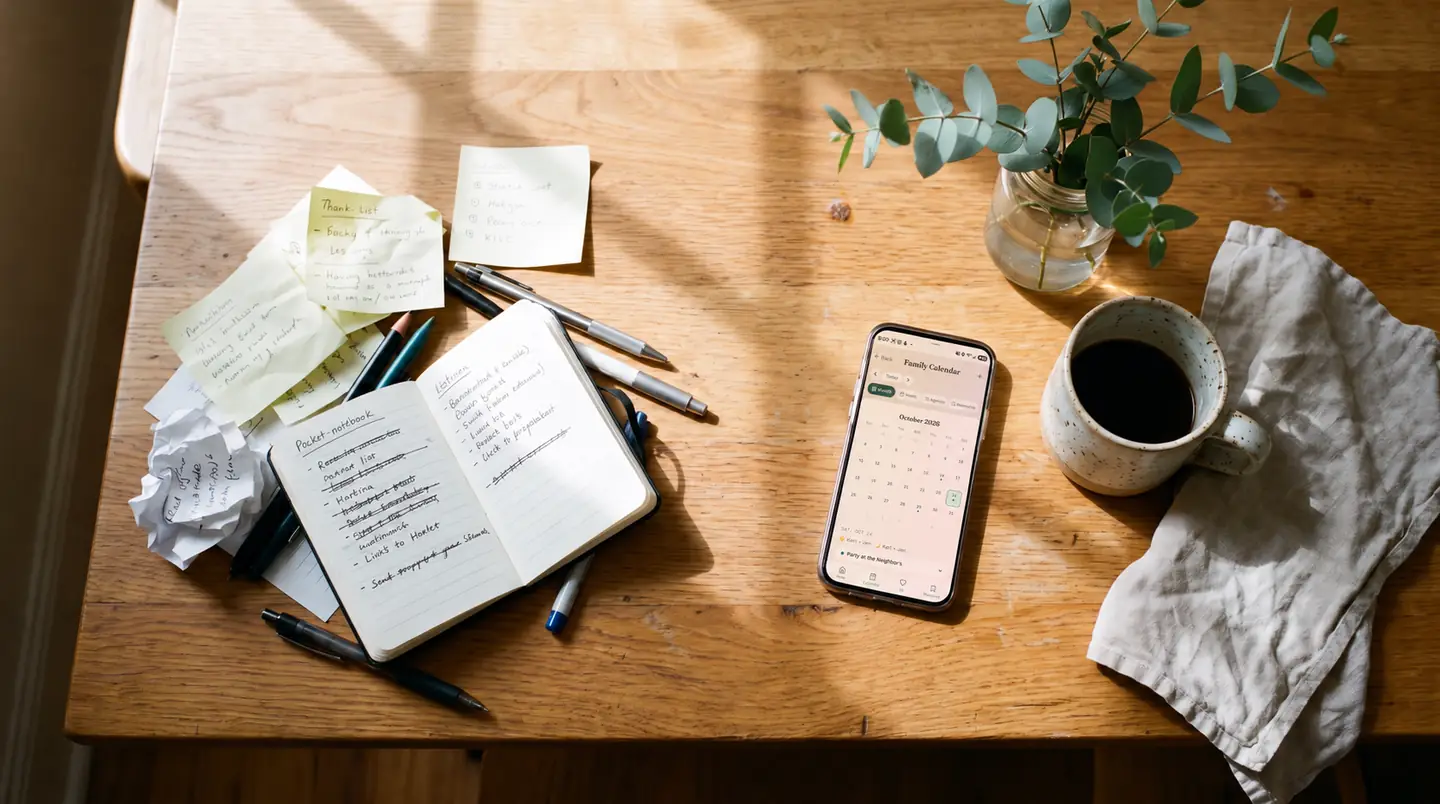
A family command center is simply the place your household checks for the week ahead. It might be a paper calendar on the wall, a whiteboard near the door, a shared digital system on both partners' phones, or a small combination of those things.
The best format is not the most impressive one. It is the smallest system both partners can keep current and trust when plans change.
If your household is deciding between paper and digital, compare the moments that matter: where you notice the plan, how often it changes, who updates it, what needs to stay private, and whether both people can access it when they need it.
Start with the job your command center needs to do
Before choosing a format, write down the questions the system must answer. A useful command center might need to show:
- what is happening this week;
- which commitments affect both partners;
- who owns preparation or follow-through;
- where a parenting handoff changes;
- which household task has a clear owner;
- what needs attention before the next weekly review; and
- which details should remain private or live somewhere safer.
You may not need every item. If the main problem is that nobody sees tomorrow's schedule while standing in the kitchen, paper may solve it. If plans change during the day and both partners need the current version away from home, digital may fit better.
When a paper command center works well
Paper is strong at visibility. A wall calendar, weekly pad, or whiteboard can sit in the path of everyday life, where everyone can glance at it without opening an app.
Paper can be a good fit when:
- most planning happens at home;
- the household schedule changes infrequently;
- visual reminders are more useful than notifications;
- children need to see a simple version of the plan; or
- both partners naturally use the same physical space.
Paper also has limits. It is not available when you are away from home. A change made by one person may not be seen by the other until later. A photo of the board quickly becomes outdated. And a visible wall is a poor place for sensitive health, work, financial, school, custody, or relationship information.
If you use paper, agree on who updates it and how urgent changes travel. A calendar entry is not enough for a same-day change that affects another person's time.
When a digital command center works well
A digital system is strong at mobility and updates. Both partners can check the current plan from their phones, and the same shared place can hold events, task owners, reminders, or parenting coverage.
Digital may be a good fit when:
- plans change while one or both partners are away from home;
- each person needs the latest version on a phone;
- recurring reminders reduce repeated remembering;
- a calendar event needs an owner or next action beside it;
- parenting coverage includes recurring patterns and date-specific exceptions; or
- the household wants one shared source of truth instead of scattered texts.
The tradeoff is maintenance. A digital system can become another place to check, or one partner can quietly become the administrator. Notifications can also create noise without improving acknowledgement. The tool only helps if both partners know what belongs there, check it at a predictable time, and update the parts they own.
Privacy still matters. Shared access should not become surveillance, and not every personal detail belongs in a household system. Do not use a calendar to monitor a partner's private activity or movements. Use the minimum information needed for coordination and keep emergency, medical, legal, and safety plans in the appropriate channels.
A side-by-side decision table
| Question | Paper may fit better when… | Digital may fit better when… |
|---|---|---|
| Where do you notice the plan? | You need an always-visible home display. | You need the plan wherever you are. |
| How often does it change? | Most weeks are stable. | Changes happen during the day. |
| Who needs access? | The people involved share the same space. | Partners need access from different places. |
| What needs follow-through? | A simple note beside an event is enough. | Events, owners, tasks, reminders, or handoffs need to stay connected. |
| How private is the information? | The visible plan can remain general. | Access controls and less visible detail are important. |
| What maintenance feels natural? | Someone already updates a shared wall or planner. | Both partners will open and update the same system. |
| What happens when plans change? | A direct conversation usually happens first. | The shared system needs to reflect the current version quickly. |
This table is not a scorecard. One answer does not decide the whole system. Look for the pattern that matches your household's real behavior.
A hybrid system can work—if one place stays authoritative
Many households like the visibility of paper and the mobility of digital. A hybrid setup can be simple:
- Keep the detailed, current plan in one shared digital system.
- Put only the next few household-visible items on a paper board.
- Do not copy sensitive details onto the wall.
- When the two versions disagree, use the digital system as the source of truth.
- Refresh the paper view during one short weekly planning session.
The risk is duplication. If both versions are treated as complete, people stop knowing which one is current. Give each format a job: digital holds the live plan; paper provides an at-home glance.
Try the smallest version for two weeks
Avoid rebuilding your entire household system in one afternoon. Test the format with one real workflow.
If you are testing paper
- Show only the next seven days.
- Use plain labels that make sense at a glance.
- Name an owner only when follow-through is needed.
- Keep private details off the board.
- Decide how same-day changes are communicated.
If you are testing digital
- Add only commitments that affect shared time.
- Give tasks an outcome and one current owner.
- Agree which changes need an acknowledgement.
- Turn on only useful reminders.
- Check the system together once a week.
After two weeks, ask: Did both people check it? Did both people update what they owned? Was there less uncertainty about the next step? Did the system create duplicate work? Keep only the parts that earned their place.
Where Ourvia fits
Ourvia is one digital option designed for two partners who want household logistics and connection in one shared place. Its current product includes a shared week, calendar events, shared tasks with owners, recurring reminders, Kid Shift for recurring morning and bedtime coverage with date-specific overrides, date planning, Daily Questions, Couple Check-Ins, and appreciations.
Ourvia works in the browser on iPhone and Android and can be added to a phone's Home Screen in two quick steps. One household membership includes the household owner and one invited partner; current pricing and the one-month free trial are shown on the membership page.
Ourvia is not the universal answer. A paper calendar may be better for a household that mainly needs an at-home visual. A built-in shared calendar may be enough for couples who only need events. Ourvia does not decide what is fair, replace direct communication, or resolve coercion, safety concerns, custody issues, or serious relationship conflict.
The shortest answer
Choose paper when at-home visibility and simplicity matter most. Choose digital when both partners need the current plan away from home, frequent updates, reminders, owners, or handoffs. Use a hybrid only when each format has a clear job and one version remains authoritative.
The right family command center is the one both partners will actually maintain—not the one with the most features.